Archive

Author Archive

rpi.fm My Stations

May 20th, 2013 subogero No comments

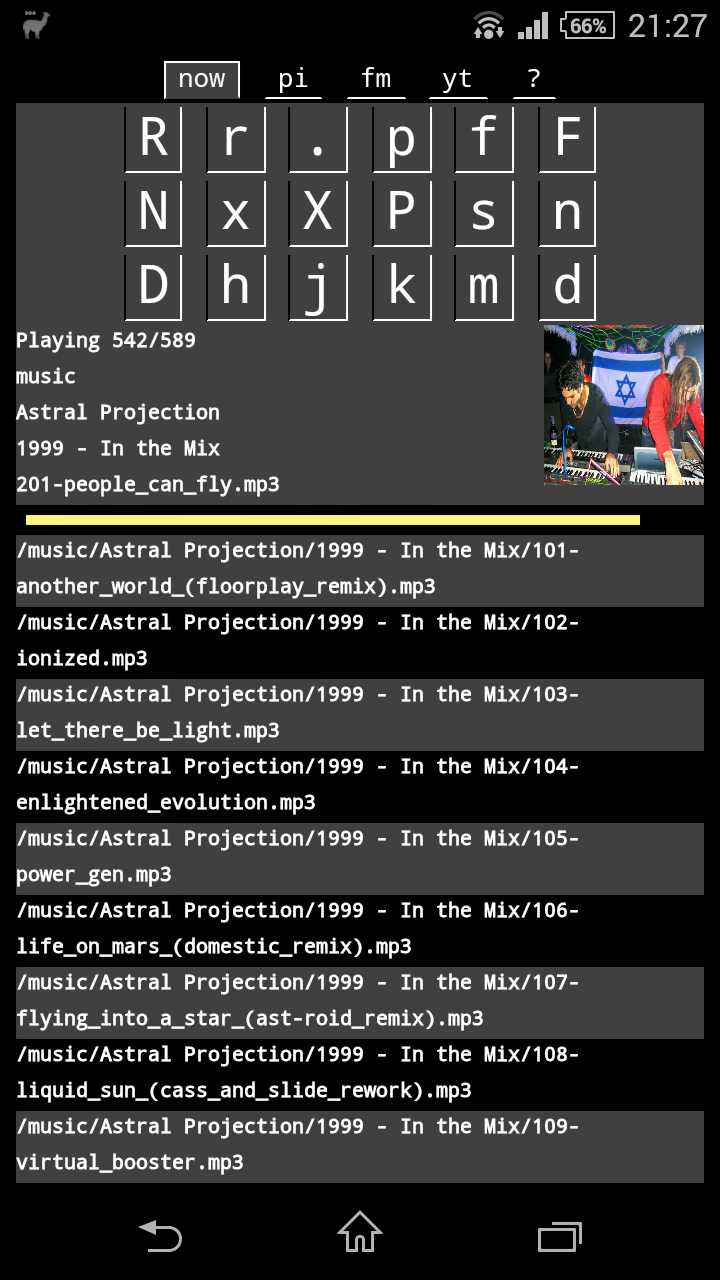
The Raspberry Pi kicks ass as a media player. Thanks to, among others, rpi.fm, my and my friends’ favourite internet radio player.

Ladies and Gentlemen!

Upon popular user request, I hereby present its new “My Stations” functions. rpi.fm now remembers whenever you choose a station. It builds a list from them, ranked by how often you’ve chosen each, and offers a new command “m” to access them.

Enjoy. But only after you’ve updated rpi.fm form Github.

For those in the know:

cd rpi.fm
git pull origin master
sudo make install
rpi.fm

For rpi.fm Noobs:

git clone https://github.com/subogero/rpi.fm
cd rpi.fm
sudo make install
rpi.fm

Redmine Command Line Interface – redupdate

May 19th, 2013 subogero No comments

We love Redmine. It’s everyone’s favourite integrated bug-tracker-wiki-gantt-roadmap-web-app running on Rails. It has everything. Except a decent command line interface.

There are some half-baked attempts on the internet, usually having suffered a few years’ time of bitrot and featuring loads of undocumented Ruby-related dependencies, so-called gems in Ruby-speak. I tried to install a few, but not being a hard-core Rubyist, I had to give up.

Long ages of desperation followed. Until I looked into Redmine’s email interface. Which, it turns out, is a command-line interface in disguise. I decided to leave Exim4 well alone, and write a user friendly command line wrapper around the obvious

/usr/share/redmine/extra/mail_handler/rdm-mailhandler.rb

My first attempt was a server-side only shell-script. But then I realized that any self-respecting person who uses the command-line has some sort of shell access to the Redmine server anyway, which also accommodates the central-ish git repos. So I added an option to run via SSH assuming public-key authentication.

Ladies and Gentlemen: redupdate

Please find it on Github along with a few other scripts like redupload to erm… upload files into Redmine, and gitcreate to, how shall I put it, create git repos with a simple command:

https://github.com/subogero/redgit

Lured into Linux Real Time

April 13th, 2013 subogero No comments

The support period of the Lucid Lynx on the Asus UL20A is about to end in May, so I was looking for a new OS. I gave a try to Debian Testing, or Linux Mint Debian Edition, to be precise. But not Pangolin. Sorry.

It was my smoothest Linux install ever. All hardware worked out of the box. Volume and brightness buttons? Check. Wifi? Check. Two-finger scrolling? Check. I also applied the usual MATE fixes for mutt and the power-button. Debian comes with a 486-kernel by default, so it handles only one processor core. One can upgrade manually to a multi-core 686-kernel with apt-get.

aptitude search linux-image

And what do I find?

linux-image-rt-686-pae

A PREEMPT_RT patched kernel, kindly compiled by Debian. Time to plunge into real-time again!

I put together a Linux syscall tutorial project a year ago (see github) which contained a small program performing a periodic real-time task and printing statistics like average/min/max dt and its standard deviation. It’s called rt and uses the setitimer() system call to generate periodic SIGALRM signals. Time to measure latencies of a 1ms periodic task on a RT kernel!

To my utter disappointment, performance was fine, until the tapeta daemon changed my wallpaper, that is. At which point a 300% latency appeared. That’s right, period time 4ms instead of 1ms. Same as earlier, without an RT kernel. What’s wrong?

I was not using real-time scheduling, that’s what. It turned out Linux processes run at static priority zero by default, where the actual scheduling priorities are dynamic, depending on interactivity, nice level, sleep/runtime, etc. This is called the SCHED_OTHER policy. In other words, one is at the mercy of the Completely Fair Scheduler.

On the other hand, a process’ static priority can be increased, and the scheduling policy can be changed to SCHED_FIFO with the sched_setscheduler() system call. In this case the only one whose mercy we are at, is another SCHED_FIFO or SCHED_RR (Round Robin) scheduled process with equal or higher static priority, lurking in the background somewhere. Important to note, though, a process needs to run as root to be able to change its own or another process’ scheduling. There is also a command line utility called chrt, to change the scheduling policy of processes.

By the way. I’m not using threads. Threads are evil. People who use them mostly condemn themselves to a thousand hells of corrupted data, deadlocks and, at the end of the day, slower performance, thanks to cache misses and dirty cache lines. And the uClibc library in many embedded systems does not support POSIX threads. Thank goodness. I’m particularly angry with threads, as every damn RT-Linux tutorial you look at, spends 75% with setting up the bloody things. And you even have to worry about which thread your signals will be delivered to. What about learning fork() and pipe() instead? KEEP IT SIMPLE STUPID!

But enough of my rants and dodgy theories, let’s see the practice. First let’s see, how the skeleton of a periodic task looks like.

#include <unistd.h>
#include <signal.h>
#include <sys/time.h>

/* Periodic SIGALRM handler routine: everything happens here */
void periodic(int signal)
{
    ... /* do your periodic stuff */
    if (continue_running)
        signal(SIGALRM, periodic);
    else
        exit(0);
}

int main(int argc, char *argv[])
{
    ... /* initialize your stuff */
    struct itimerval period = {
        { 0, 1000, }, /* 1st signal in [s], [us] */
        { 0, 1000, }, /* period time   [s], [us] */
    };
    signal(SIGALRM, periodic);       /* install periodic() to handle SIGALRM */
    setitimer(ITIMER_REAL, &period, NULL); /* start periodic SIGALRM signals */
    /* Main idle loop: everything done by the signal handler */
    while (1)
        pause();
    return 0;
}

Next, how to set up real-time scheduling. Add this code to main(), before the setup of the periodic stuff. Remember to run your program as root for the below code to take effect.

#include <sched.h>
...
int main(int argc, char *argv[])
{
    ...
    struct sched_param schedp;
    schedp.sched_priority = 1;
    sched_setscheduler(0, SCHED_FIFO, &schedp);
    ...
}

And now let’s see what happens when a process becomes real-time. I’m measuring latencies of a 1ms task on Raspberry Pi, actually without a PREEMPT_RT kernel. I start rt as a normal process, then change its scheduling to SCHED_FIFO with chrt. See the code of rt on github.

szg@og314 ~/syscalls $ ./rt 1000
Real time child process PID 3368
------------------------------------------------------------------------
     n  Mean [us]       [us] SD  [%]      [us] Min [%]      [us] Max [%]
------------------------------------------------------------------------
   982   1017.502    246.148  24.615        67  93.300      4449 344.900
   985   1015.249    247.086  24.709        71  92.900      4865 386.500
   975   1025.625    300.905  30.091        63  93.700      4669 366.900
   989   1011.116    162.667  16.267       181  81.900      2682 168.200
   986   1014.260    155.867  15.587       259  74.100      2506 150.600
   989   1011.115    163.982  16.398        51  94.900      2674 167.400
   983   1017.492    189.123  18.912        59  94.100      2803 180.300
   983   1017.102    199.678  19.968        74  92.600      3985 298.500
   985   1015.169    214.607  21.461        62  93.800      3938 293.800
   978   1022.632    267.480  26.748        83  91.700      4355 335.500
   988   1012.008    165.071  16.507        84  91.600      2707 170.700
   991   1009.079    222.581  22.258        72  92.800      6762 576.200
  1000   1000.001     18.526   1.853       769  23.100      1218  21.800
  1000   1000.040     16.464   1.646       834  16.600      1163  16.300
  1000    999.958     12.861   1.286       924   7.600      1086   8.600
  1000   1000.002     17.503   1.750       809  19.100      1223  22.300
  1000   1000.014     20.984   2.098       793  20.700      1212  21.200
  1000   1000.035     24.159   2.416       827  17.300      1175  17.500
  1000    999.998     26.596   2.660       795  20.500      1246  24.600
  1000    999.962     18.433   1.843       844  15.600      1152  15.200
  1000    999.989     34.235   3.424       716  28.400      1314  31.400
  1000   1000.003     18.630   1.863       849  15.100      1214  21.400
  1000   1000.001     22.666   2.267       717  28.300      1268  26.800
  1000    999.996     20.419   2.042       799  20.100      1196  19.600
  1000   1000.051     15.729   1.573       831  16.900      1159  15.900
  1000    999.951     13.385   1.339       920   8.000      1109  10.900
  1000   1000.000     18.562   1.856       830  17.000      1210  21.000
  1000   1000.002     28.782   2.878       812  18.800      1222  22.200
  1000   1000.039     19.713   1.971       763  23.700      1239  23.900
  1000    999.964     25.291   2.529       907   9.300      1118  11.800
     1   1035.000     35.000   3.500      1035  -3.500      1035   3.500
------------------------------------------------------------------------
     n  Mean [us]       [us] SD  [%]      [us] Min [%]      [us] Max [%]
------------------------------------------------------------------------
 29815   1006.212    136.875  13.687        51  94.900      6762 576.200

A line of statistics is printed after every second with the following columns: n (number of events), Mean dt, SD (standard deviation), and Min/Max dt. Whilst the program was running, after the 12th line of data above, I changed rt’s scheduling with the command below.

root@og314 ~ # chrt -f -p 1 3368  # -f : SCHED_FIFO, 1 : static priority 1

The effect was truly dramatic. With normal scheduling I was missing about 2% of the events, with an average latency of 20% (0.2ms), in the worst case up to 600% (6ms). After changing to real-time scheduling, not a single event went lost, average latency dropped to 2% (0.02ms!), and the worst case delay dropped to 31% (0.31ms).

All this is causing 7-8 % processor load on a Raspberry Pi running two ssh sessions and omxplayer playing an internet radio. Single core, no PREEMPT_RT kernel. You probably need the latter in a production system which must not miss a beat for weeks.

So Linux is definitely able to run an ECU. That’s where my new ARIA25 board will excel. After someone designs an ECU for me…

Raspberry Pi Internet Radio

December 22nd, 2012 subogero 2 comments

I’ve mentioned already that the Raspberry has become a rather integral part of my flat. And now I mention that I’m a great consumer of ska, reggae, soul, house, samba, sambass, funk and liquid funk.

And that’s where internet radios come into the picture. But it’s been so awkward so far. Hook up the phone to the stereo’s AUX cable? Start an entire desktop session on a laptop to play them in a browser and hook it up to the stereo’s AUX cable?

But now the Raspberry is in place, and it’s permanently connected to both the TV and the stereo. So I had to find a way to play internet radio stations from the command line. The internet did not reveal definitive answers, so I wrote a little Perl program.

It does some data-mining on www.internet-radio.com and presents an extremely simple interactive command line interface to choose genres and stations, start playback on the audio-jack or on HDMI, to play or pause, to quit or quit but continue playback in the background.

It’s very easy to use. I ssh sometimes into the Raspberry to change the station, and then it plays LiquidBass.net or something else all day long.

It’s called rpi.fm. Please find it on GitHub.

I tested it on Raspbian Wheezy. It uses omxplayer for playback. Important: the user must be in the “audio” group. The default user “pi” is, for new users edit /etc/group as root:

audio:x:29:pulse,pi,youruser

Next project: web-app for the same thing. And then the phone can be used as a remote control.

Raspberry Ping

December 10th, 2012 subogero No comments

My long awaited Raspberry Pi has arrived about 2 weeks ago. I’ve ordered some accessories along with it, like an SD card, a HDMI cable and a power supply. What was missing though, was any kind of input device. I flashed the Raspbian image to the SD, hooked it to the TV and go.

It booted! And then waited hopelessly for me to log in.

Fortunately my flat has built-in Ethernet everywhere, so I connected the Pi, and tried to ssh into it from an Ubuntu laptop. Success! I typed “startx” and an orphaned LXDE session popped up on the TV. Rather useless without a mouse.

But then I remembered the so called X-server, which has to be the largest program that does nothing for you according to Ken Thompson. Except that it does. Unix GUI programs don’t talk to the screen/keyboard/mouse directly, but through an X-server that handles these. And my Ubuntu had one already running. And the GUI-X communication can run over a network as well. So…

foo@bar$ ssh -X pi@raspberry  # ssh into the RPi allowing X communication
pi@raspberry$ lxsession       # start an LXDE desktop session on the RPi

and what popped up was the proof for the superiority of this weird, unfriendly, minimalistic thing called Unix:

Ubuntu & Raspberry on same screen

Ubuntu & Raspberry on same screen

Ladies and gentlemen: 2 full desktop environments running on 1 screen! And that was it for the first weekend with the Pi.

For the second weekend, I bought some more accessories: Logitech K400 wireless keyboard with built-in touchpad, 1 TB USB hard-disk and a powered USB-hub. Time to build my low-power home server. Built into the hidden recesses of my desk.

Home server

Home server

Then I turned my USB printer into a network-printer installing CUPS on the Raspberry. The last adventure so far was setting up an FTP-server on said fruit. Vsftpd. VS probably means very secure, which usually stands for totally unusable. And yes, it was a bloody nightmare to set up. At the end it turned out you have to comment out nearly all lines in the bloody /etc/pam.d/vsftpd file. Oh well.

Linux desktops on a desktop

Linux desktops on a desktop

Categories: Uncategorized Tags: , , ,

Yet Another Linus Torvalds Interview

November 18th, 2012 subogero No comments

And a good one, at that. Honest, in-depth, provocative. No bullshit, like Linus, where is Linux headed in the next 2000 years.

Categories: Uncategorized Tags:

Fixing mailto-mutt in Linux Mint Maya 2

November 18th, 2012 subogero No comments

Antonio Radici, mutt’s Debian maintainer kindly replied and asked me to open a Debian bug for fixing the mailto-mutt vs MATE issue. I nearly did it, but decided to do some further testing before. I already had three virtual machines installed: Xubuntu, Linux Mint Maya Xfce and Linux Mint Maya KDE. It turned out that the simplistic mailto-mutt implementation worked perfectly on all.

The reason? Their native terminal emulator either passes the rest of the command line after “-e” to the command called (konsole) or, if not, they come with a wrapper that does just that (gnome-terminal.wrapper, xfce4-terminal.wrapper). The only one missing this wrapper was mate-terminal.

So I wrote another email to Antonio, calling off the new Debian bug, which restored his optimistic outlook on life, the universe and everything. And I set out to write the wrapper. My first shot was a shell script to replace “-e” with “-x”:

#!/bin/sh
while [ "$1" ]; do
  param=$1
  shift
  [ $param = '-e' ] && param='-x'
  args="$args $param"
done
exec mate-terminal $args

Seasoned Unix veterans have already noticed it. Noobs will immediately and enthusiastically learn it: This wrapper works beautifully. Until you pass a parameter that contains spaces, that is.

The shell is a cool programming language, but it has this sometimes irritating habit of messing with and interpreting your special characters, instead of leaving them alone. Fortunately the late Dennis Ritchie invented a language called C, which includes the brilliant concept of the zero-terminated C-strings. Many people hate them, others adore them. But no one can deny the fact that they don’t mess with special characters:

#include <unistd.h>
#include <string.h>
int main(int argc, char *argv[])
{
    int i;
    argv[0] = "/usr/bin/mate-terminal";
    for (i = 1; i < argc; ++i) {
        if (strncmp(argv[i], "-e", 3) == 0) {
            argv[i] = "-x";
        }
    }
    execv(argv[0], argv);
    return 1; /* if exec returns, it's an error, baby */
}

Finally, I submitted the code into a new issue on the github page of mate-terminal.

Fixing mailto-mutt in Linux Mint Maya

November 6th, 2012 subogero No comments

I tried Linux Mint Maya KDE over the weekend in a virtual machine. It came after a brief tour of the Xfce edition. The latter does not really let me set a small and tasty window title bar without editing pixmaps of the window decoration. KDE in general is extremely configurable, apart from the size and colour of the… yes, the window decoration theme. But it left a good impression. Except that some KDE apps look so cluttered and tasteless compared to their Gnome2 counterparts. Step forward Ktorrent.

Switching back to the real machine’s MATE was such a relief. So I decided to debug my main niggle with this half-baked DE: the disfunctional “Email Link…” in Firefox, which just brings up Mutt in normal mode, instead of composing a new mail in it. Same for clicking mailto links anywhere.

First configure Firefox mailto: handling. Edit, Preferences, Applications, mailto. “Mutt (default)” does not work as intended. So I set it to the recommended /usr/lib/mutt/mailto-mutt which is just a wrapper to start mutt in a new terminal:

exec x-terminal-emulator -e mutt "$@"

It did not work either. I just checked, x-terminal-emulator is just a symlink to a symlink to /usr/bin/mate-terminal.

Next step: check whether Firefox really sends the mailto parameters to mailto-mutt. So I replaced it with a one-liner to copy the argument list into a log file.

echo "$@" > ~/mailto.log

That worked fine, the proper mailto URI was copied to the log file.

So it must be either the mate-terminal or the mutt invocation. I tried it manually without a new terminal first:

mutt `cat mailto.log`

Everything fine, mutt starts in email-compose mode. So it’s the mate-terminal, then:

mate-terminal -e mutt `cat mailto.log`

There you go! The mailto URI from the log file was now ignored. It turns out the -e option ignores the rest of the command line, it just takes one argument. Should have used -x instead, or quote the whole thing. Not that mate-terminal has a manual page. I looked it up in that of gnome-terminal on Ubuntu 10.04. Anyway, here it is:

mate-terminal -e "mutt `cat mailto.log`"

works fine. So the fix to mailto-mutt is this, watch the opening quote:

exec x-terminal-emulator -e "mutt $@"

Then, even though I don’t believe society exists at all, I tried to do the civil thing towards the so-called community and tracked down the origins of the bug.

/usr/lib/mutt/mailto-mutt is part of the mutt package, version 1.5.21-5ubuntu2.
The original Debian package 1.5.21-5 has an identical mailto-mutt.

The only Debian bug about mailto-mutt is #576313 which contains an interesting observation:

On top of that, mailto-mutt doesn't handle body specifications properly.
  /usr/lib/mutt/mailto-mutt 'mailto:test?body=test'
doesn't do anything, but
  mutt 'mailto:test?body=test'
works just fine.

The “upstream tarball” (mutt-1.5.21.orig.tar.gz) contains no mailto-mutt whatsoever. So it’s a Debian bug. I emailed the maintainer about the bug and the fix.

It seems few people have time to fix real usability bugs in these chaotic years of the Linux desktop. And why? Because the brilliant GNOME Usability people decided to discontinue Gnome 2, the best desktop environment ever. It’s so incredible that it hurts.

Desktop Goodies

October 21st, 2012 subogero No comments

g

is the new go. The name of my Gnome command-line launcher clashed with a certain programming language, so I changed it. Not the programming language stupid. Mostly out of respect for probably the greatest hacker of all time who is involved in the go language. His other inventions include Unix, regular expressions, utf8 encoding and brute force. Finding out his name is left as an exercise to the reader.

tapeta

Hungarian for wallpaper. I was looking for a desktop wallpaper slide show program for Linux. The best the internet could come up with was Desktop Drapes. It has a few small problems, though. You have to add every single picture manually to the list of wallpapers. Oh, and it does not work as a Startup Application. While trying to find out why, it turned out it uses mono (.NET for Linux). So everything is forgiven. I’m sure it’s the wallpaper changer of choice of Miguel de Icaza.

On the other hand, I’m a picky little bastard. I just want to pile the wallpapers-to-be into a folder, specify a cycle time, and go. And I want it to work. And I want it to be small. So I wrote one. Apart from comments and the help text, it’s a 12 line shell script. It supports Gnome2 and MATE at the moment.

Default cycle time is 10 min and the default folder is ~/Pictures. It can be changed in the ~/.tapeta configuration file.

notgmail

Or rather yes. I mean it’s all about Gmail new email desktop notifications for Gnome2 and MATE. Mostly for mutt users. It looks for your Gmail login in .netrc and .muttrc. It’s a staggeringly large 18 line net shell script. The semi-transparent black notification-box lists the senders of your unread mails. The default polling time is 30min, can be changed on the command line in [s].

And it does use DOM to parse the Gmail Atom feed. Not.

Categories: Uncategorized Tags:

Inferiority Complex Considered Harmful

September 12th, 2012 subogero No comments

Recently, I’ve upgraded the HP 874W power station to Linux Mint Maya, 64-bit, MATE edition.

It’s pretty stable, the performance is brutal, and it has very new packages out of the box, like VIM 7.3 (I’m looking at you Debian Squeeze). But the Gnome2-MATE conversion is still a work in progress. A few things are still broken, like the power button brings up the shut-down dialogue for exactly zero seconds and, unfortunately, Compiz does not work out of the box.

It took me two evenings to play with the Configuration Editor (gconf-editor), the Configuration Editor (mateconf-editor) and CCSM to reach a state, where Compiz places, decorates, wobbles and peeps through windows in the desired fashion, and the virtual desktops are spinning and exposing as in the old times. Except, there is no way to start the old hierarchical menu with Alt-F1. So I’m forced to use the chaotic MintMenu. By now my readers have figured out, correctly, that I’m a keyboard-guy.

So Ubuntu Lucid Lynx will stay on the ultra-portable ASUS UL20A for at least another year. This OS is the symbol of the golden era of the Linux desktop, 2010. Dark clouds were already gathering on the horizon, but here, down on Earth, everything looked rosy and happy. The Linux desktop was so good that Apple and Microsoft could not help copying it at an astonishing rate. Full screen for ALL apps for the first time in Mac OS X Lion, anyone?

But while we, proud users, were showing off semi-transparent rotating desktop cubes to the Apple fanboys in the neighbourhood, William Jon McCann had a feeling of terrible insecurity. He, as the lead designer of Gnome3, felt that the Linux desktop was crap and something new, more apple-ish was required. At the same time Miguel de Icaza, the founder of Gnome, had already been a closeted Mac OS X user, waiting for the great coming-out moment. Allegedly, his sound was not working and he could not play videos on Linux. I’m at a complete loss here…

But anyway, Gnome3 was born, Gnome2 was discontinued, Ubuntu defaulted to Unity, and everybody else got real angry. There is a silver lining in the clouds though, thanks to Linux Mint, but it’s still a long way. But what caused this mayhem?

It’s called inferiority complex.

It’s harmful.

No, the desktop is not going away, and no, OS X and Windows were not better than the Linux desktop, and no, goodness is not measured by market share. These gentlemen were hankering after the wrong things from the Apple world. They wanted to copy looks and features and gardens and walls. They should have noticed something else:

Self-confidence.

It’s the ability to notice that you’re good at something. The first Mac OS from 1984 and the present OS X basically look the same. They stuck with their interface even in the valley of the shadow of death. Their user interface is still the same, while they have changed the internals to Unix. The same is true for the Linux kernel. The external interfaces never change. Linus’ bash binary from 1991 still runs.

Miguel de Icaza thinks Linus Torvalds is an arrogant low-level kernel guy. But the fact that you’ve been a guilt-afflicted closeted Mac-fag, does not mean that someone else with a healthy dose of self-confidence is arrogant. In fact Linus Torvalds is an extremely humble person. He goes to great lengths to protect his users. Yes, on the surface you see the “shoot-yourself-before-you-reproduce” and the “you-are-full-of-BS”, but the comforting self-mockery is always there, and it’s all for the users’ sake.

On the Gnome side there is McCann’s polished and politically correct corporate lingo, which in fact is full of ignorance, insecurity and bullshit. And they could not care less for their existing users. But it’s Linus’ fault, of course.

Go to therapy, get rid of your inferiority complex and start using mplayer.